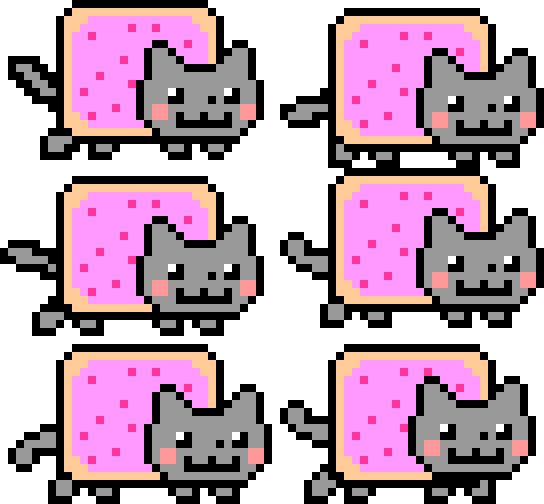
Get Nyan Progress Bar
Free Chrome extension. Installs in seconds and works immediately on YouTube.
 Install on Safari
Chrome 88+ · Manifest V3 · ~15 KB
Why use Nyan Progress Bar?
YouTube's default progress bar is a flat red line — useful, but easy to ignore. Nyan Progress Bar replaces that line with a hand-picked animated cat (or any GIF you choose) so the scrubber becomes a tiny piece of personality you actually notice. It's a small joy in your day, every video you watch.
It's built for the people who live on YouTube: long-form videos and lectures, music and lo-fi playlists on YouTube Music, daily news, gaming streams, and creative work. The cat moves with the playhead, never gets in the way of the video, and is gone the moment you uninstall.
And because the extension runs entirely in your own browser — no accounts, no servers, no analytics — there is nothing to sign up for and nothing to worry about. You install it, you forget it's there, and your videos just feel a little more yours.
What's new
View full history on GitHub →- v2.2.0latest
- NewHide rainbow and Hide night sky toggles in the popup — applied instantly to every open YouTube tab and synced across your devices
- NewSlovak translation
- FixRainbow no longer goes missing on chaptered videos opened from the YouTube home page
- ImprovementPlayed-bar styling moved to CSS, so YouTube player updates can no longer strip it from the first chapter
- PerformanceDuplicate page observers removed — lighter on long YouTube sessions
- v2.1.0
- NewSafari support — install Kitty Progress Bar on macOS from the App Store
- NewLive preview sync between the website customizer and the installed extension via postMessage
- ImprovementCustom GIF upload validation — oversized or invalid files are caught before they reach storage
- ImprovementSmaller install footprint after asset compression
- ImprovementSmarter scrubber detection — SPA navigation hook and selector health check recover from YouTube player updates
- ImprovementTest suite with Vitest and a CI workflow for safer releases
- PerformanceDebug-gated logging — verbose output stripped from production builds
- FixRainbow segment no longer flickers on mid-video chapter markers
- v2.0.0
- NewPer-GIF custom styling — each cat remembers its own height and position
- NewDefault position reset button in the customizer
- NewHeight/position slider with live preview
- ImprovementError handling and unlimited Chrome storage for custom GIFs
- ImprovementPopup init logic refactored into standalone modules
- v1.9.0
- NewUpload any GIF as a custom scrubber from the popup
- NewPromotional banner notification in the YouTube player
- NewFull UI internationalisation — 11 languages supported
- ImprovementCustom height and top-offset controls for the scrubber
- v1.8.0
- NewYouTube Music support — cat scrubber works on music.youtube.com
- NewCat selector popup with full GIF grid
- ImprovementLong-polling fallback ensures injection even on slow page loads
- v1.7.0
- FixObserver added for late-loading progress containers
- FixInterval fallback for load-progress segments
- ImprovementOverridden scrubber wrapper overflow to prevent clipping
- v1.6.0
- NewProduction build pipeline with esbuild bundling and CSS minification
- v1.5.0
- FixRainbow and night-sky bar disappeared after a YouTube DOM update — fixed
- v1.4.0
- NewRainbow overlay applied to newly loaded chapter/segment bars
- v1.3.0
- NewCat scrubber shown on hover-preview thumbnail progress bars
- v1.2.0
- NewCat scrubber injected into the main-page video hover preview bar
- v1.1.0
- PerformanceReduced extra re-renders; mini-player scrubber updates stabilised
- v1.0.0
- NewInitial release — Nyan Cat GIF replaces the YouTube progress bar scrubber
- NewMutationObserver injection for sidebar and main progress bar
- NewRainbow and night-sky images on the progress track
Everything included
Instant install
One click from the Chrome Web Store, no account needed.
No data collected
Completely local. Your YouTube activity stays private.
12 cats included
Switch anytime from the popup, no page reload required.
Custom GIF upload
Drop any GIF into the popup to use it as your scrubber.
YouTube Music
Works on music.youtube.com too.
12 languages
Interface available in EN, ES, PT, VI, ID, FR, TL, TR, PL, DE, UK, SK.
How it works
1. Install in one click
Add Nyan Progress Bar from the Chrome Web Store. The extension is ~15 KB, ships as Manifest V3, and asks only for access to YouTube and YouTube Music.
2. Pick your cat
Open the popup and tap any of the 12 built-in cats — or drop in your own GIF. The selection saves locally and syncs across every YouTube tab you have open.
3. Fine-tune the position
Use the height and top-offset sliders to make your cat sit perfectly on the scrubber. Settings are per-cat, so each theme remembers its own look.
What makes it different
Other browser extensions for YouTube focus on ad-blocking, sponsor skipping, or theme tweaks. Nyan Progress Bar is the only one purpose-built for the progress bar — every cat is hand-tuned for the YouTube scrubber's height and motion, with sane defaults so you don't fiddle with sliders unless you want to. The result is a single small, polished detail that doesn't fight the rest of YouTube's UI.
Have a question?
Check the support center or open a bug report.